

If you are looking for Melissa apartments that allow security cameras at doors, VLux Stoneridge does allow them, with conditions. The community states that residents may install security cameras at front or back doors as long as the camera is positioned within the apartment’s entryway, does not capture shared spaces, does not cause damage during installation or removal, and management is notified before installation.
That makes the key question less about whether cameras are allowed at all, and more about what kind of camera setup will actually comply with the rules. Before you sign a lease or buy hardware, it helps to understand how apartment camera policies usually work, what to confirm in writing, and how VLux Stoneridge’s home layouts may affect your options.
What “allowed” usually means in an apartment setting
In most apartment communities, a camera policy is balancing two interests at once: a resident’s desire to monitor their own doorway, and the privacy of neighbors using hallways, shared drives, breezeways, or other common areas. A property may say yes to cameras, but still limit angle, mounting method, and where the lens points. That distinction matters because a doorbell camera that seems minor to a renter can create complaints if it records people entering neighboring homes or moving through common space.
At VLux Stoneridge, the rule is specific enough to give renters a practical framework. The camera must stay within your apartment’s entryway and cannot capture shared spaces. In plain terms, that suggests the safest setup is one aimed tightly at your own threshold, porch, or private entry area, rather than a wide-angle device intended to cover a sidewalk, parking area, or neighboring doorway.
The other major condition is installation. The community allows cameras only if they do not cause damage when installed or removed. For renters, that usually means it is smarter to ask in advance about approved mounting methods rather than assume any screw-mounted device will be acceptable. A removable mount, bracket, or other low-impact installation option may be easier to approve than hardware that leaves holes, affects trim, or alters the door assembly.
One more practical point is that permission is not fully automatic. Residents are asked to notify management before installation. That step is useful, not just procedural, because it gives you a chance to confirm whether your specific device, placement, and mounting plan comply with the policy before you spend money or risk a lease issue later.
How to evaluate whether a specific apartment will work for your camera setup
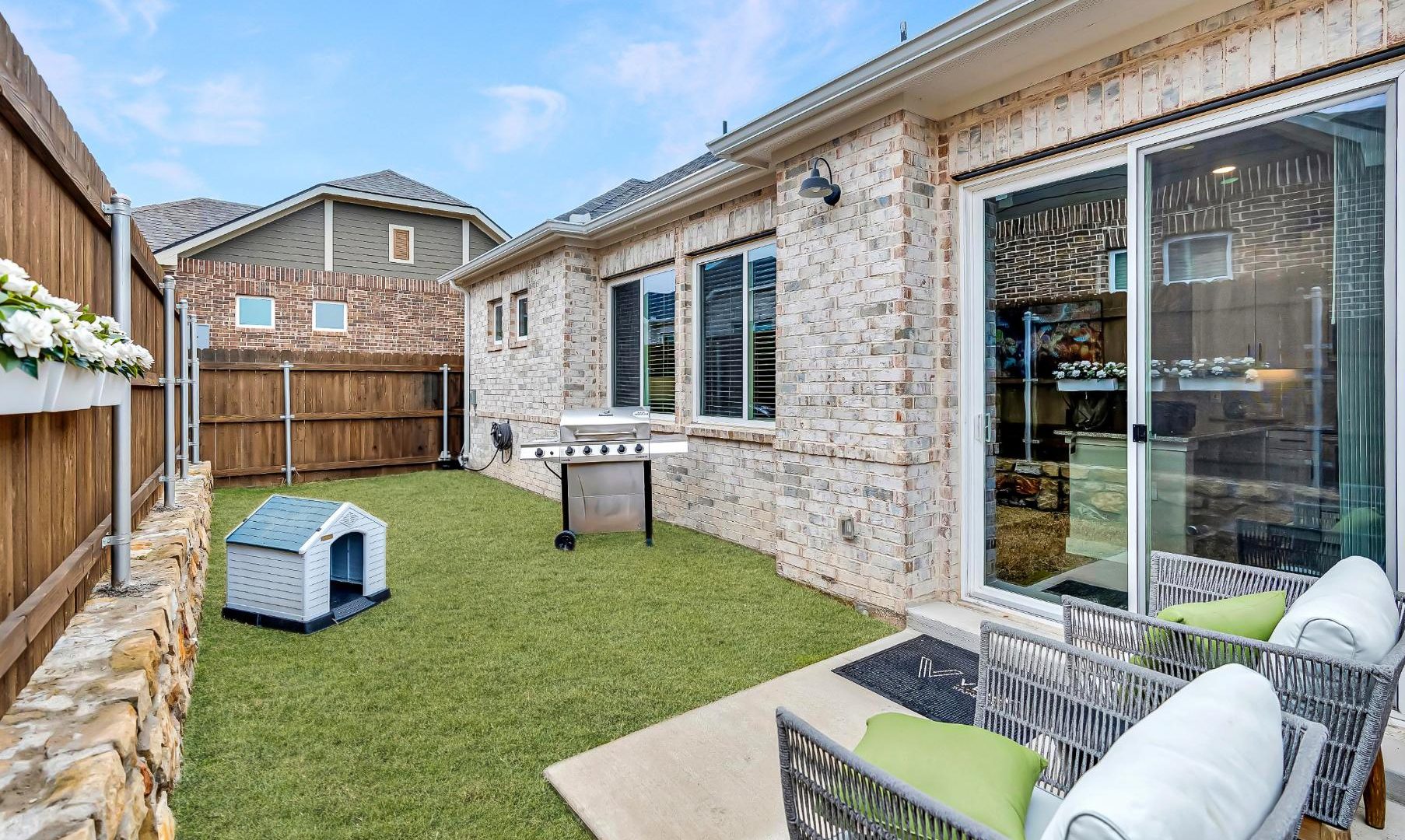
Not every apartment entry is equally camera-friendly. VLux Stoneridge lists resident features such as front porch or private entrance, and some homes include private backyards. Those details matter because a private entrance can make it easier to keep a camera focused on your own doorway, while a backyard gate or rear door may raise a separate question about whether a second camera can be placed without capturing neighboring areas. If you want both front and back coverage, ask to review the exact unit layout and exterior orientation.
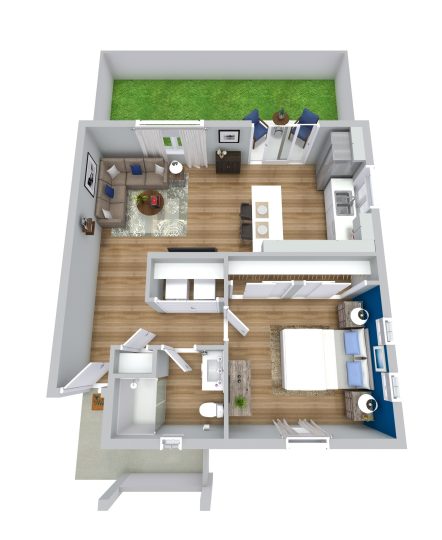
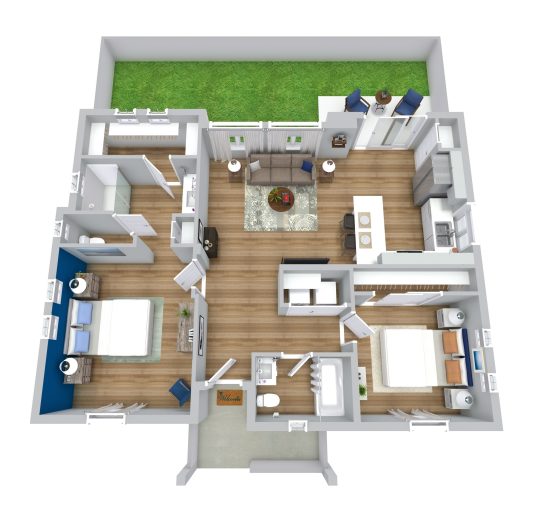
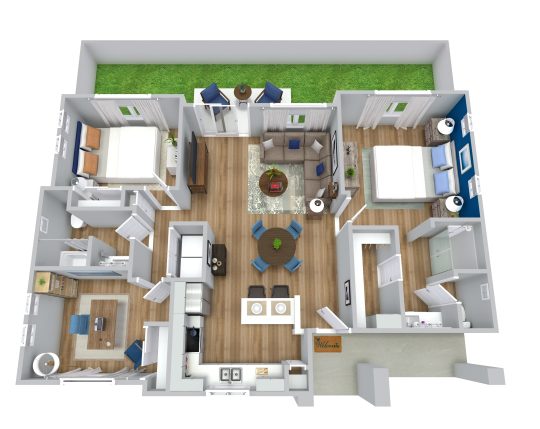
Floor plan size can matter too, but not in the way many renters first think. The issue is less square footage and more entry configuration. A one-bedroom A1, a two-bedroom B1, or a three-bedroom C1 may all be suitable, but what you need to confirm is whether the specific apartment has a porch, how close the neighboring entry is, and whether the line of sight can stay limited to your own doorway. A camera policy can be the same community-wide while compliance still varies from unit to unit.
Smart home technology is also listed among the resident amenities, which may be helpful if you want a connected device ecosystem. Still, that does not automatically tell you how a third-party camera integrates, whether battery charging is easiest, or whether there are any preferred devices. The practical way to verify is to ask management whether residents typically use battery-powered peephole cameras, door-mounted brackets, or another format that works well with the home’s entry design.
Internet setup affects camera reliability as much as the lease policy does. The community notes that residents arrange their own internet and that AT&T services the property. If you plan to rely on live alerts, cloud storage, or two-way audio, ask the internet provider about plan speed, equipment placement, and upload performance for the specific home you are considering. A camera that is permitted but frequently offline will not solve the problem you are trying to address.
What to confirm before you move in or install anything
Start by asking for the camera rule in writing, or by requesting confirmation through the normal leasing communication channel. You want to verify four things: whether your chosen device type is acceptable, where it may be placed, what mounting methods are allowed, and how management wants to be notified. Having those details before move-in is especially helpful if you are ordering equipment ahead of time.
It is also wise to ask how the community interprets “shared spaces.” In apartment communities, that phrase can include sidewalks, breezeways, adjacent porches, mail areas, parking areas, and open green space. VLux Stoneridge separately states that the mail area is not under video surveillance and that the community does not have 24-hour surveillance, which reinforces the importance of understanding what your personal device may and may not cover. Do not assume that because a space is visible from your door, you are allowed to record it.
If your goal is package awareness, visitor screening, or monitoring a pet-related delivery, think through the limits honestly. The office does not hold packages, and the community does not use package lockers, so direct-to-door delivery may matter to you. A door camera can help you know when a package arrives, but it is not a substitute for community-wide surveillance, and it may not be positioned broadly enough to show activity beyond your immediate entry area.
Finally, match the policy to your household’s real routine. If you travel often, work long shifts, or want to watch both a front entry and a private backyard, bring those use cases up before leasing. If you are comparing homes, ask to see the exact entrance and whether the camera angle can stay compliant without constant false alerts from passing neighbors or guests. A low-pressure next step is to contact VLux Stoneridge and ask them to walk you through the camera policy using the specific apartment home you are considering, so you can confirm fit before you install anything.